Capabl Translate
A professional translation tool for Capabl content. Load a source file, set the rules, translate into several languages with DeepL, and re-import the result into the platform.
Capabl is the enterprise learning platform I implement for customers in my consulting work. The extension is an independent tool that works alongside it.
- Role
- Design, development and publishing (solo)
- For
- Learning and content teams
- Status
- Published on the Chrome Web Store
- Built with
Translate several languages in one run
Translating one course into several languages, through to re-import.
Before
- Export the course XML
- Copy the text out and translate it
- Paste the translation back into the XML
- Re-import into the platform
- Start again for the next language
For each language, the team copied text out of the course XML, translated it and pasted it back.
After
- Load the source file once
- Apply the terminology rules
- Translate into every selected language
- Re-import the translated XML
The team loads the source once, applies its terminology rules and translates several languages in one run.
The same routine, once per language
International customers need the same learning content in several languages. Until now that meant exporting the XML, copying text into a translation tool, pasting it back and re-importing, for every language, every time the content changed. Product names got translated by mistake and nobody had a clean way to review the result. I wanted the whole routine to become a guided flow with rules that stay consistent across languages.
- Every extra language repeated the whole export, translate, paste and re-import routine.
- Product names and key terms got translated by mistake.
- There was no clean way to review a translation before it went live.
- One run translates a source file into several languages with DeepL.
- Glossaries and Do-Not-Translate rules keep names and terms identical everywhere.
- Excel review sheets for translators, then a valid XML file to re-import.
One guided flow, every language
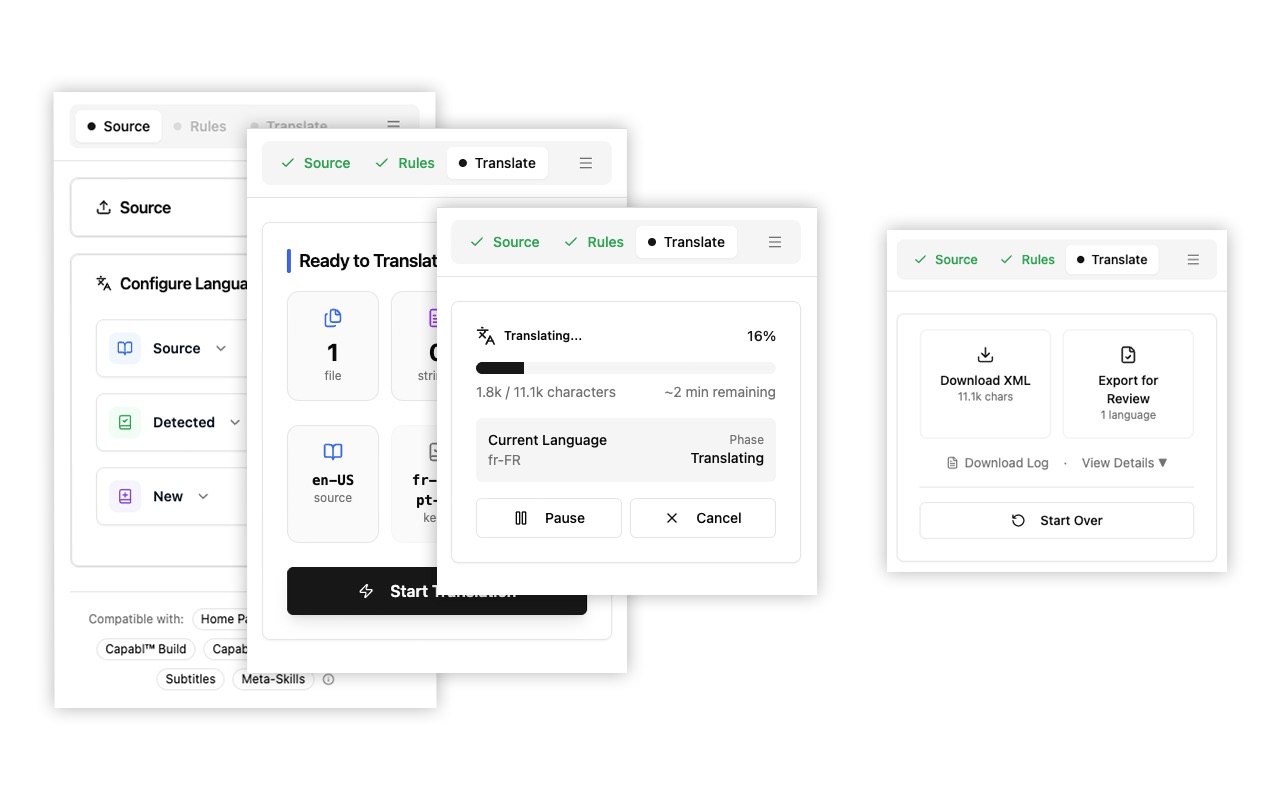
- Terminology rules: glossaries and Do-Not-Translate controls keep product names and key terms identical in every language.
- Excel review: generate spreadsheet-based reviews so translators can check and correct the output before it goes live.
- XML re-import: download the translated XML and import it straight back into the platform.
- Progress you can follow: one run translates the source into every selected language, with progress and time remaining.
How it was built
The extension parses the platform's XML export, applies the glossary and Do-Not-Translate rules, sends segments to the DeepL API and rebuilds a valid XML file for re-import. It was built with AI-assisted coding in Cursor and tested against real customer content before publication.
What it does today
- Published on the Chrome Web Store and in use alongside the Capabl platform.
- Tested against real customer content before publication.