Learning Studio
A web app that turns source documents into an interactive e-learning module. Add a PDF, a Word file or a slide deck, choose a course structure, check the key points, then edit the result in a visual editor and export it for your LMS.
Learning Studio is in development and has not been released. It runs in the browser, with your own Mistral API key.
- Role
- Design and development (solo)
- For
- Subject matter experts and L&D teams
- Status
- In development, not released yet
- Built with
From source documents to an LMS package
Four steps. Mistral drafts the course; the author decides the structure and the key points, and can change every block afterwards.
-
PDF, Word, PowerPoint Add sources Six formats, read in your browser
-
Plan the course A course structure and the key points
-
Mistral AI Generate and edit Pages made of blocks you can change
-
SCORM, xAPI, cmi5 Export One package for your LMS
The expert knows the subject, not the authoring tool
The person who knows the subject is rarely the person who builds the module. A subject matter expert writes a document or a slide deck, an instructional designer turns it into a storyboard, and someone builds it in an authoring tool. Each hand-over takes time and loses detail. The goal of Learning Studio is a tool built well enough for the expert to go from source documents to a customisable e-learning module on their own.
- A generated course that cannot be edited is a dead end: the expert has to be able to correct it.
- A language model can return a broken page, or drift away from what learners have to remember.
- The module has to run in the LMS the company already has, and report completion to it.
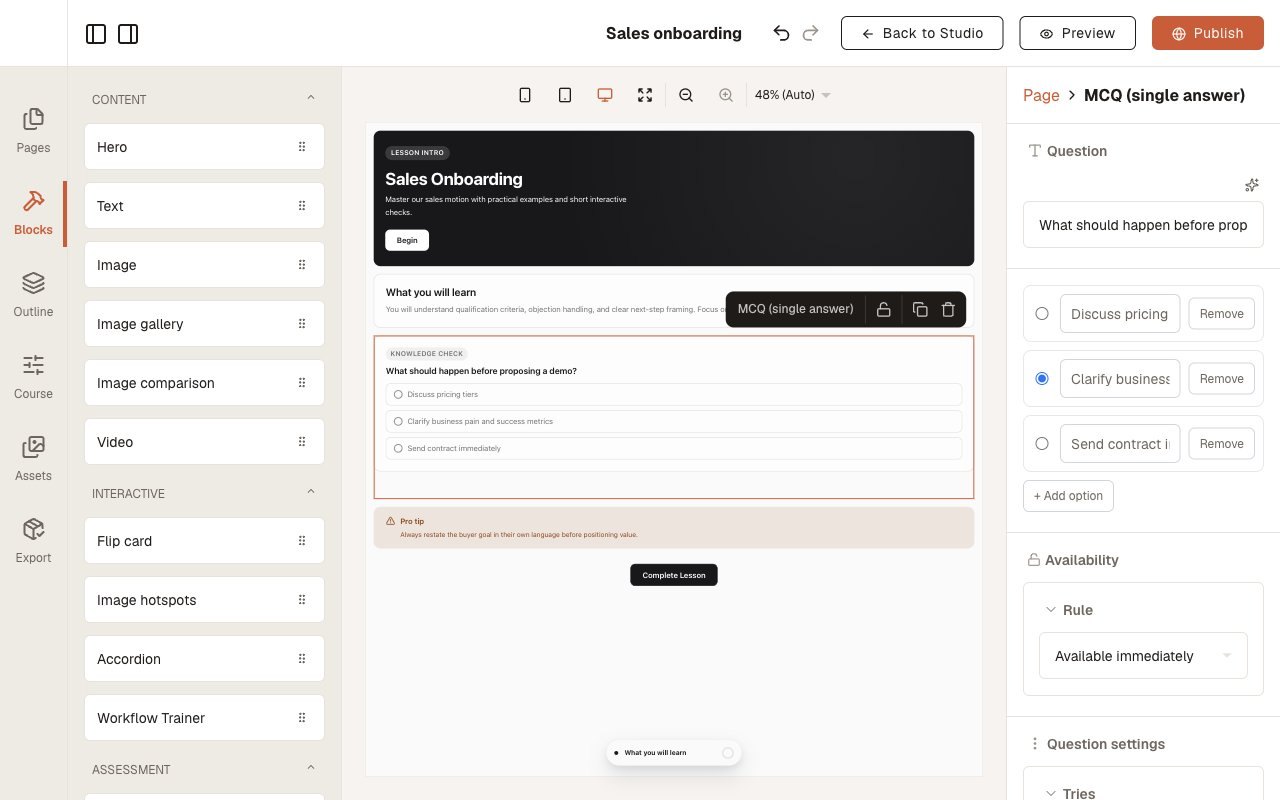
- The AI writes into the same blocks the editor uses, so every generated page can be changed, reordered or rebuilt by hand.
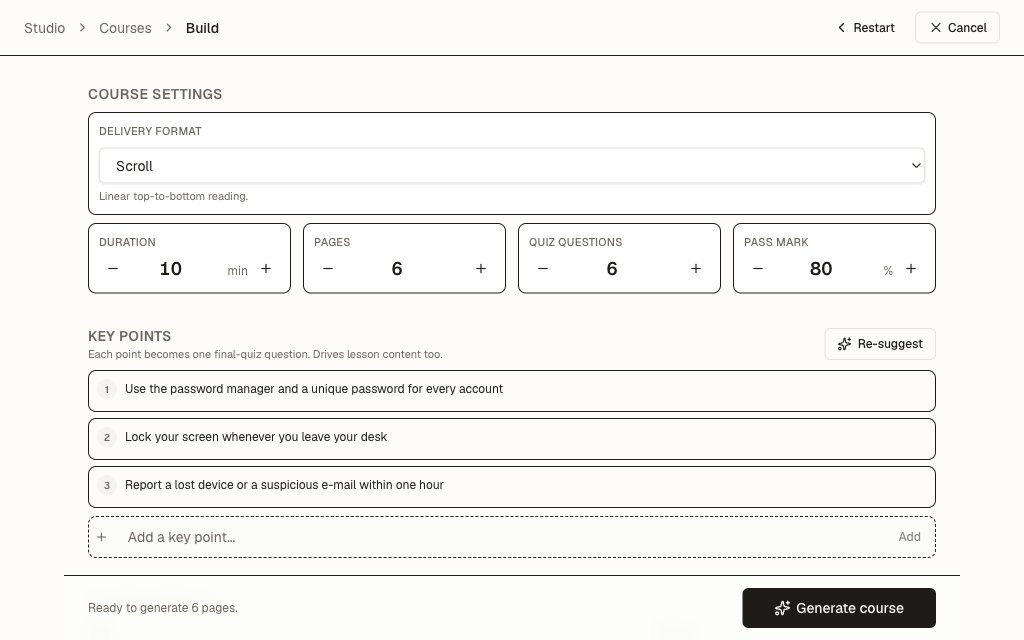
- The author checks the key points before anything is generated, and each one becomes a question in the final quiz. Every page is generated against a strict schema: a malformed page is retried once, then reported.
- Export as SCORM 1.2, SCORM 2004, xAPI or cmi5, with a completion rule and a passing score.
A course builder, a visual editor and an exporter
Learning Studio has four parts:
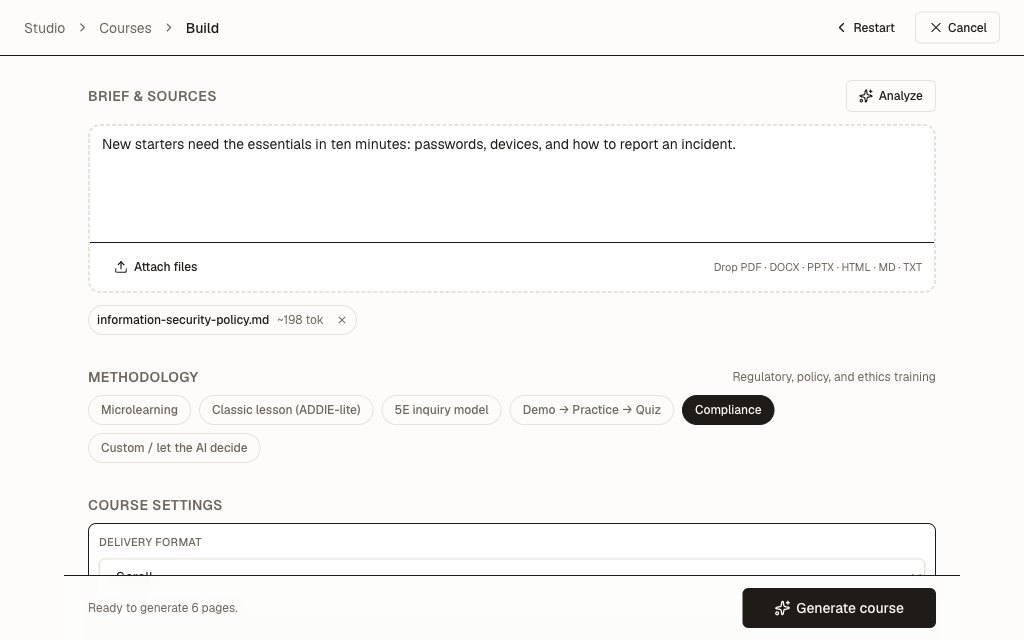
- Course builder: start from a brief, from documents, or both. PDF, Word, PowerPoint, HTML, Markdown and text files are read in the browser. Choose one of six course structures (microlearning, classic lesson, 5E inquiry, demo and practice, compliance, or let the AI propose one), set the length and the pass mark, and check the key points. Mistral then writes the course page by page.
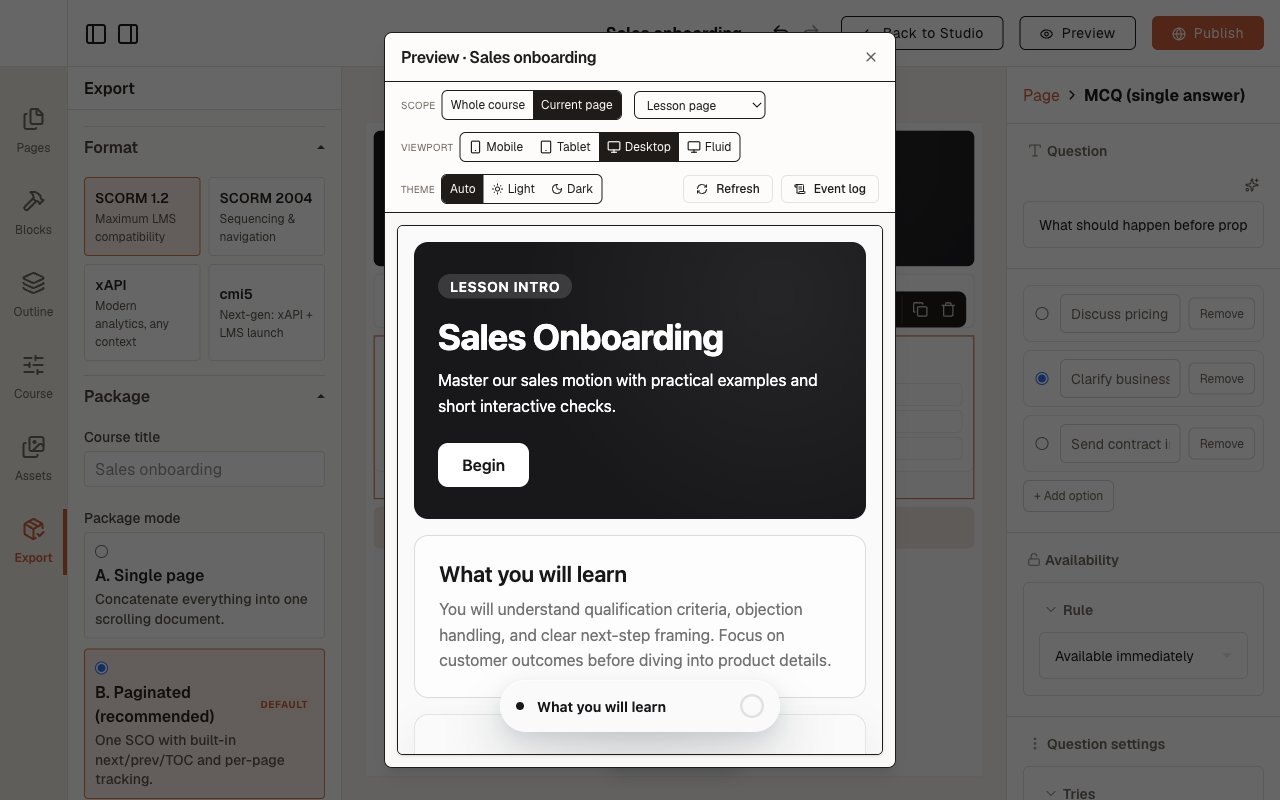
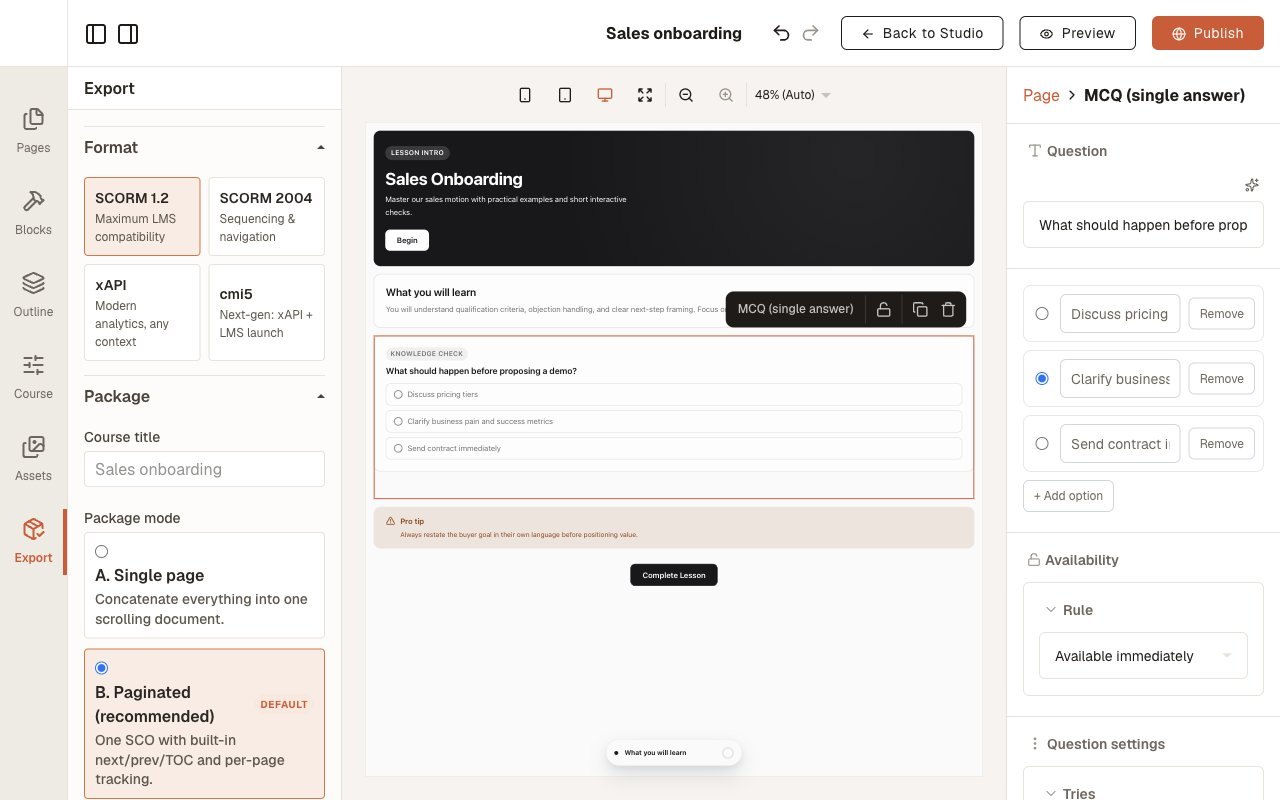
- Visual editor: 22 block types, from text, images and video to flip cards, hotspots, accordions, a software simulation, five question types and a quiz container. Text fields have an AI button to draft the copy, and a preview shows the module as a learner sees it.
- Themes and languages: four built-in themes, plus a theme editor for colours, type, shape and motion. A course can be translated with AI, with 30 languages listed.
- Export: SCORM 1.2, SCORM 2004, xAPI or cmi5, as a single page, a paginated package or one SCO per page.
How it was built
Learning Studio is a React and TypeScript app built with Vite. The editor is Puck, with blocks, fields and plugins written for e-learning. Courses, themes and assets are stored in the browser with IndexedDB, and documents are parsed in the browser with pdf.js, Mammoth and JSZip. The AI answers in a strict JSON schema that matches the editor’s blocks, so a generated page opens in the editor like any other page.
Screenshots
Where it stands
- The course builder, the visual editor, the preview and the export are in place and run in the browser, with no server.
- 68 browser tests cover the Studio screens and the three exported page styles at phone, tablet, laptop and desktop widths.